How it works

How a bid moves through Tender-Dude.

From the day a tender is published to the day you can prove you handed it in. Every picture on this page is the real product running on sample data: an invented company and invented tenders. You can try it yourself, with no sign-up.

1. Find and decide

Know if you can bid before you spend a day on it.

Tender-Dude reads National Treasury's eTenders feed six times a day. Tenders that match what your company does go to the top of your Portfolio.

Open one and Can we bid? reads the tender for the things that get bids thrown out, then checks each one against your own documents.

  • What it looks for: CSD registration, tax compliance, B‑BBEE level, CIDB grade, ISO and PSIRA, manufacturer (OEM) letters, compulsory briefings and site visits.
  • Proof from the tender: every item is quoted word for word, with the page number, so you can check it yourself.
  • Expiry dates: a document that expires before the closing date counts as missing.
  • No false comfort: if a tender can't be read, it never shows as all clear.
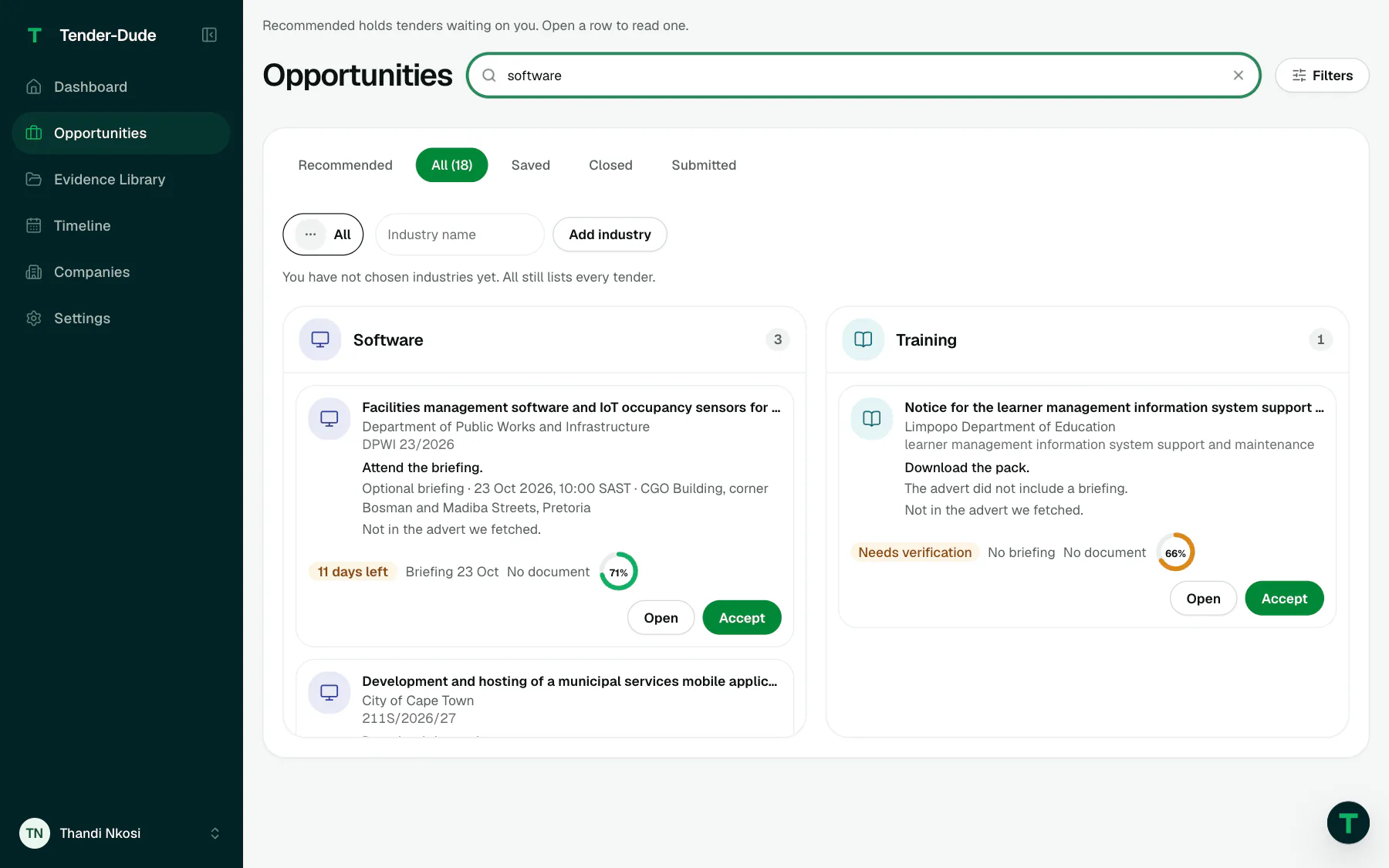
Opportunities searched for software: matching tenders with the buyer, reference, briefing, days left and a match score.
Opportunities, searched for software: each tender with its buyer, briefing, days left and match score.
2. Plan

The plan starts at the deadline and works back.

Accept a tender and Tender-Dude builds the work plan backwards. It aims to finish two working days before closing, so there is time to fix what goes wrong. Weekends and public holidays are skipped.

  • The steps: briefing attendance if there is one, kickoff, confirming the requirements, the technical response, pricing, a quality and compliance review, sign-off, and handing in.
  • A person for every step: set standing rules once, like "the B‑BBEE certificate always goes to Sipho".
  • Your call: change the internal deadline for a company or a single bid.
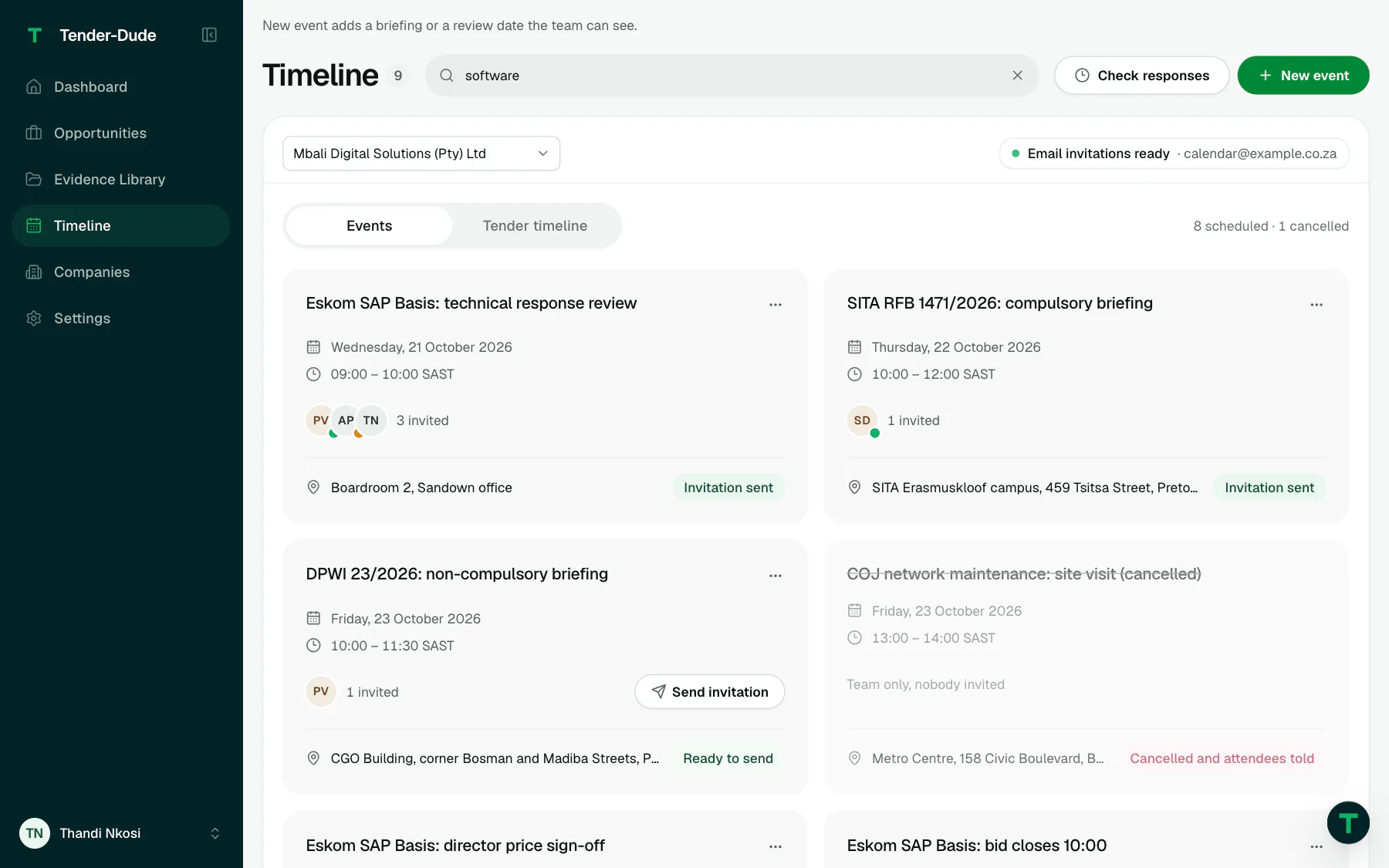
The Timeline: briefings, reviews and closing times as cards, with who is invited and where.
The Timeline: briefings, reviews and closing times for every bid, with who is invited.
3. Fill

The SBD forms, filled in from your own records.

SBD 1, SBD 4 and SBD 6.1 are filled from your company details, your people, your approved tax compliance status and the tender itself. Next to every value is where it came from, so you can check it in seconds.

  • Nothing is guessed: a value we don't have is left blank and marked.
  • Yours to complete: signatures, dates, declarations and preference point claims.
  • The buyer's own forms: a fillable PDF from the buyer can be filled the same way.

Tender-Dude never signs anything. Before a bid goes, you confirm every form is signed and dated, and we record who confirmed it and when.

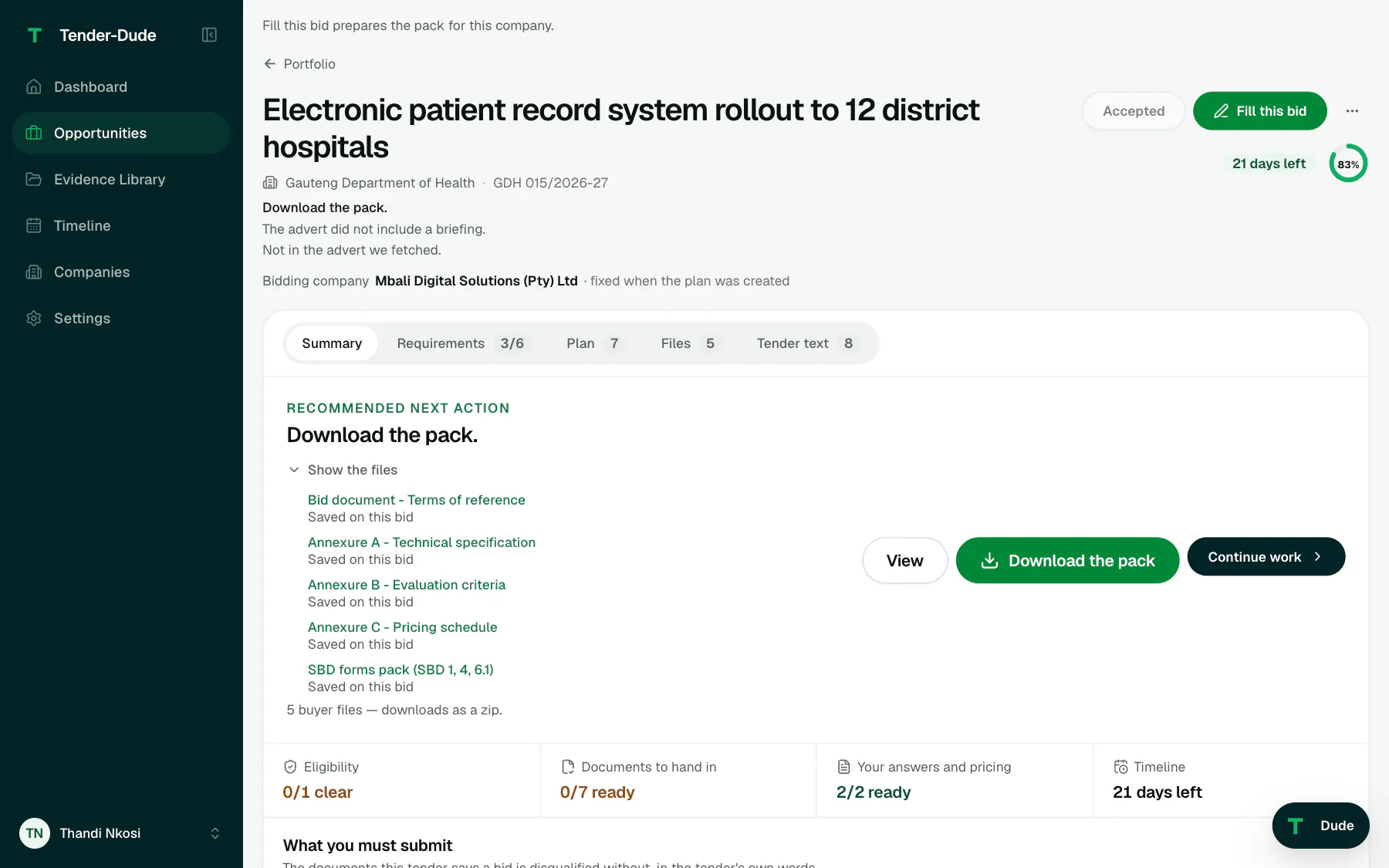
One tender's page: the buyer's files saved on the bid, including the SBD forms pack, and what is ready.
One tender's page: the buyer's files and the SBD forms pack saved on the bid.
4. Write

Start the proposal from what already won you work.

For each requirement in the tender, Tender-Dude looks through your proposal library and your earlier bids for the closest paragraph. It shows it word for word, with the bid it came from.

  • Gaps stay visible: where nothing fits well, the draft says "To write" instead of making something up.
  • Your words stay yours: matching is done on our own server. No outside AI service reads your documents.
  • Finish in Word: export the draft and polish it the way you always have.

Not in the live demo yet.

5. Keep on time

See which bid is in trouble before it is too late.

The Bid overview puts every live bid on one timeline, the most at risk at the top. Each one is marked Stuck, At risk, No plan or On track.

  • At risk means something real: a blocked step, an overdue step, too little time left, or a company document that expires before closing.
  • Who is holding it up: every row shows the current step and the person who owns it.
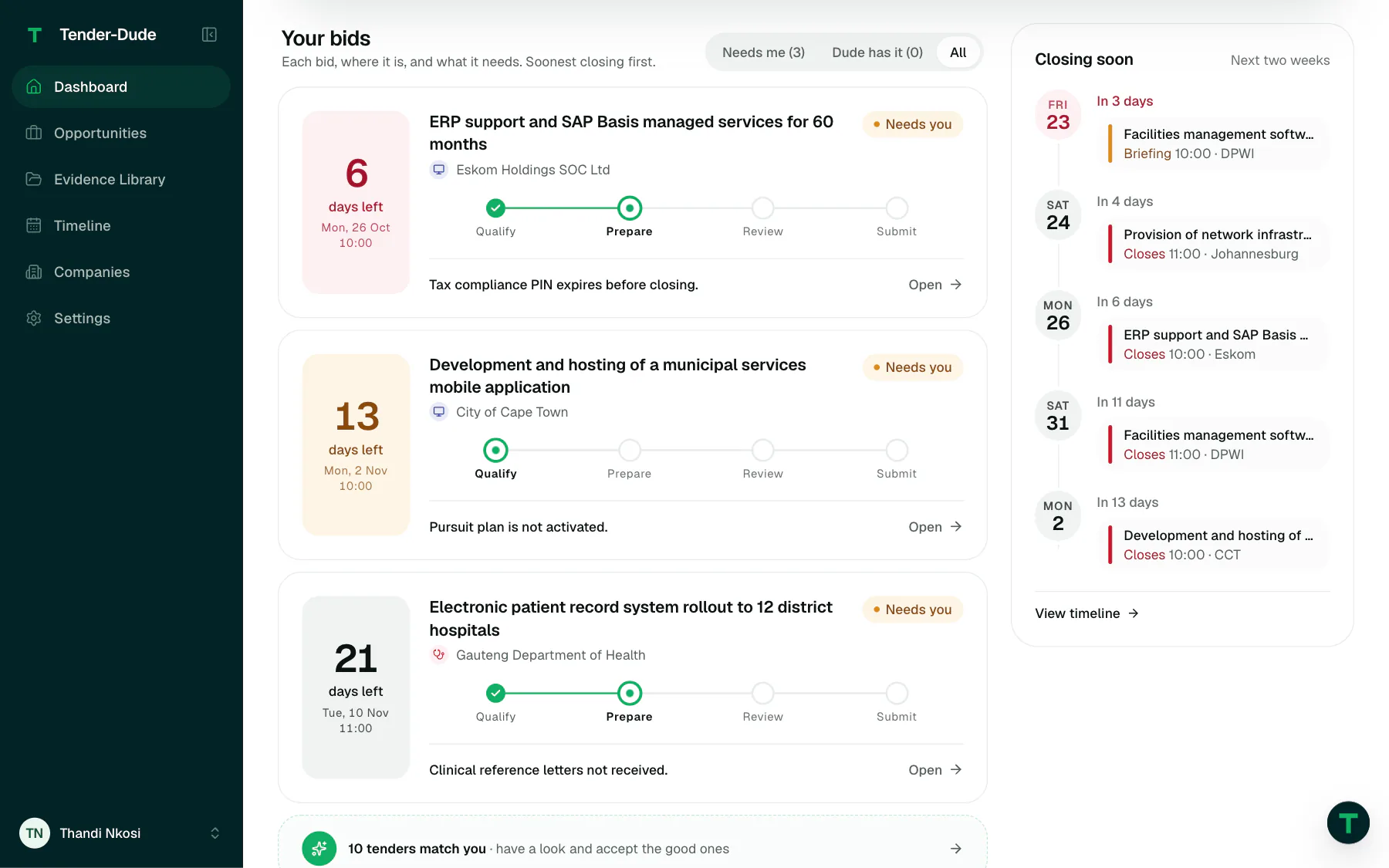
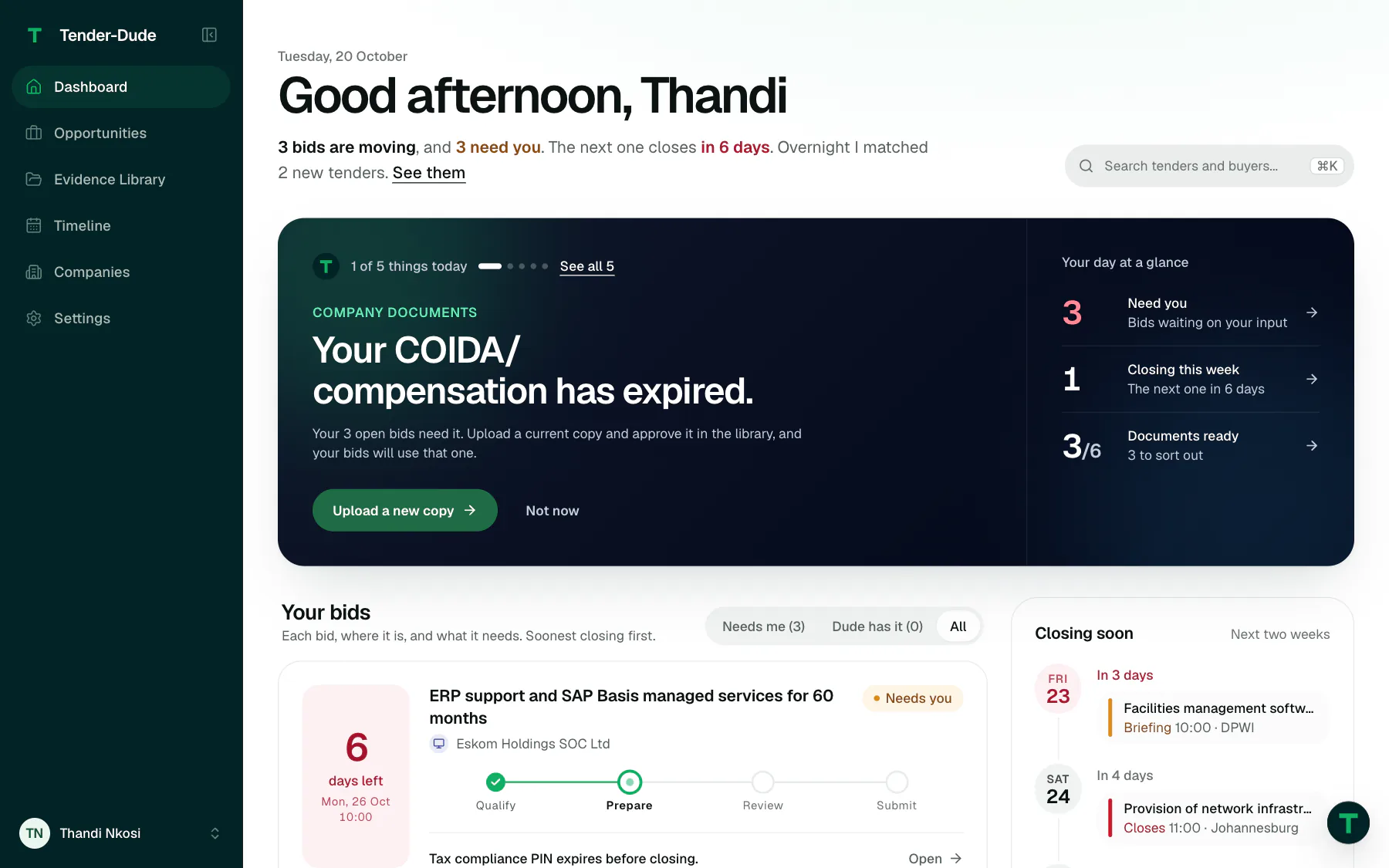
Your bids on the dashboard: each open bid with days left, its stage and what it needs next.
Your bids on the dashboard: days left, the stage, and what each one needs next.
6. Send

Hand it in, with the checks done first.

Tender-Dude looks in the tender for how the buyer wants the bid: by email, on a portal or in a bid box. If the tender is not clear, you choose. Then it checks the pack before anything goes.

  • It stops you when a required document is missing or expired, the files are bigger than the buyer allows, the tender does not take email, or it has closed.
  • It warns you when you are within 24 hours of closing.
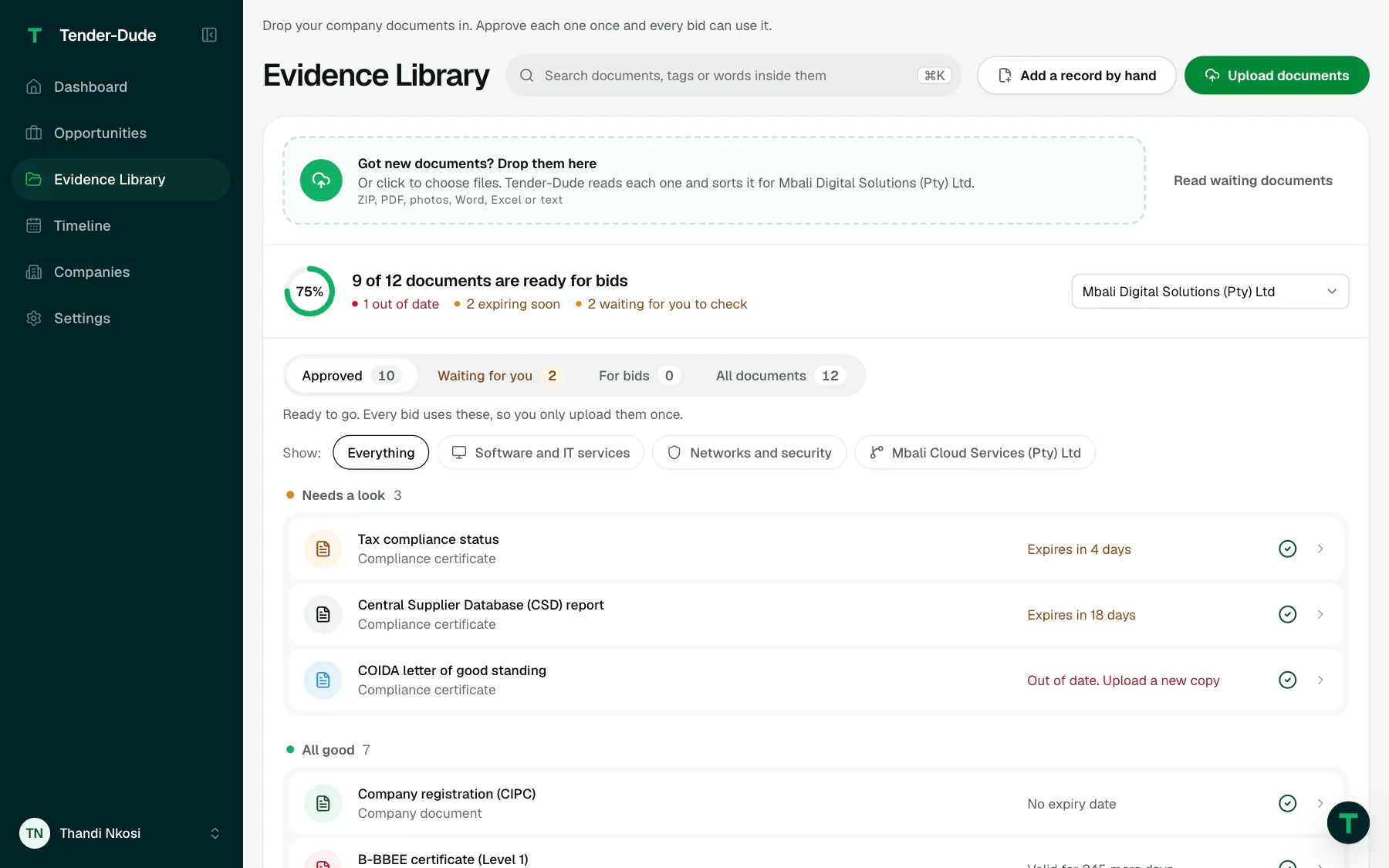
The Evidence Library: 9 of 12 company documents ready for bids, with expiring and out-of-date documents listed first.
The Evidence Library: what is ready for bids, and what is expiring or out of date.
7. Prove

Proof that you handed it in.

Every hand-in leaves a record. For an emailed bid that is the time, who it went to, and every file with its fingerprint, a code that proves exactly which version was sent. The record is locked once it is made, and you can download it as a PDF.

For a portal, Tender-Dude keeps the portal's reference and your receipt. For a bid box, the courier's tracking and delivery receipt.

When National Treasury publishes the award, Tender-Dude suggests the result for you to confirm, so you can see who won and at what price.

Not in the live demo yet.

Your next bid, done properly.

Find the tender, get your documents ready, and hand it in on time.